> For the complete documentation index, see [llms.txt](https://docs.leadconverter.su/llms.txt). Markdown versions of documentation pages are available by appending `.md` to page URLs; this page is available as [Markdown](https://docs.leadconverter.su/faq/populyarnye-voprosy/obshie-voprosy/kak-aktivirovat-peremennuyu-last_request-v-svoei-kampanii.md).
# Как активировать переменную last\_request в своей кампании
В этой инструкции мы разберём, как активировать переменную ***last\_request*** в своей кампании **LeadConverter.**
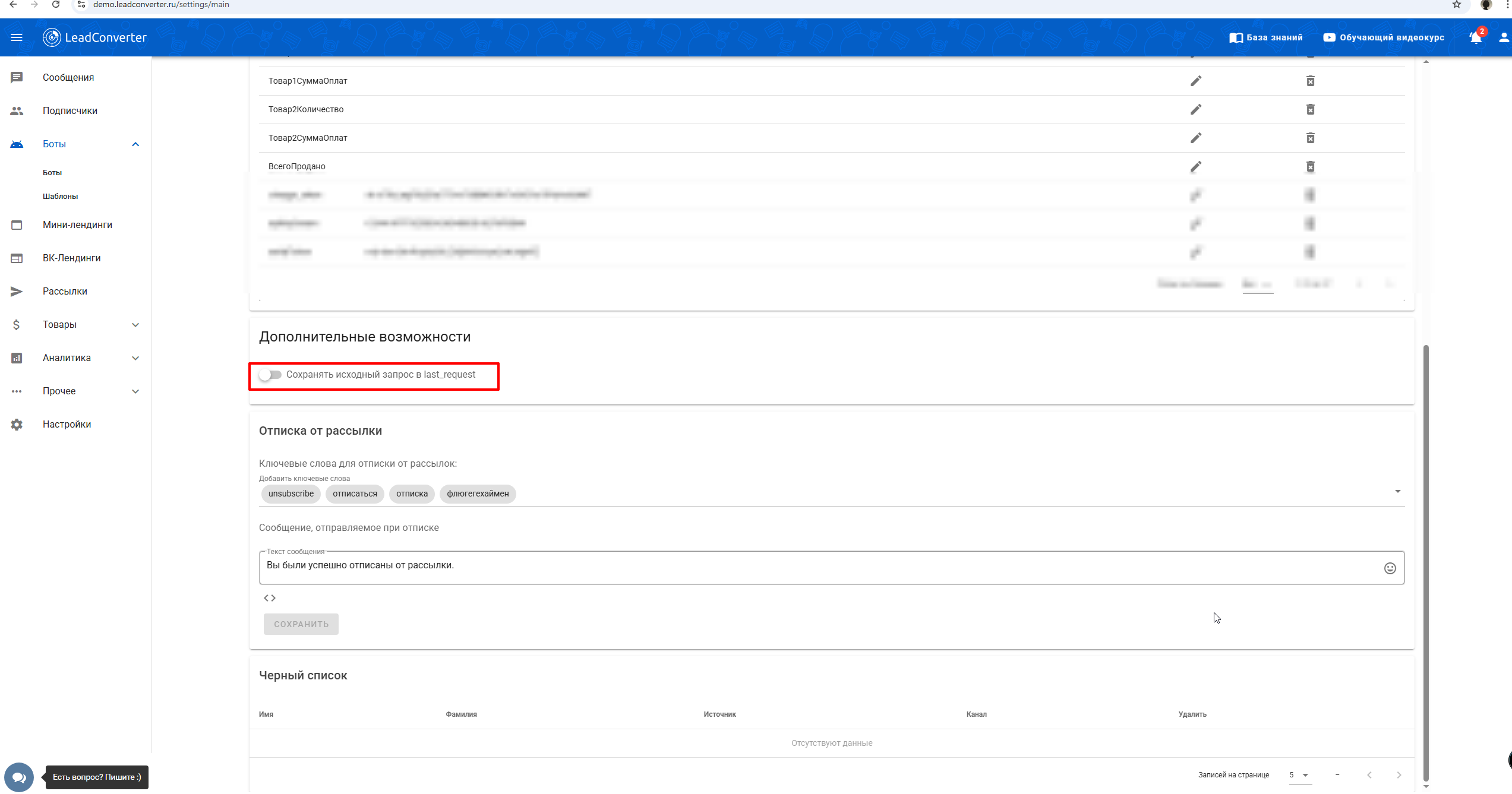
1. Переходим в раздел **«Настройки»**.
2. Открываем вкладку **«Общие»**.
3. Пролистываем страницу вниз и активируем ползунок **«Сохранять исходный запрос в last\_request»**.
Готово! Переменная **last\_request** активирована в вашей кампании.
{% hint style="success" %}
Остались вопросы?\
\
Обязательно задавайте их нам в техническую поддержку, будем рады вам помочь!
{% endhint %}
{% content-ref url="/pages/-MasAPNcg291uNezFqb4" %}
[Как задать вопрос в поддержку?](/kak-zadat-vopros-v-podderzhku.md)
{% endcontent-ref %}